FN-002 — Field note ·
llms.txt: what it is, what it isn't and how I generate mine
A straight answer on llms.txt for founders and marketers: what the proposal covers, what it won't do for SEO and how I generate mine so it stays accurate.
llms.txt is a plain Markdown file at the root of your site that tells AI assistants and agents who you are and which pages matter. It's a proposal, not a standard, and it isn't a ranking trick: what it's worth depends on how accurate it is. This note covers what it is, what it isn't and how I generate mine so it stays current.
I've worked on this from two sides. As Head of Admin Tech for a US client, I rewrote the client's llms.txt so AI tools reading it would get current positioning, services and pricing instead of outdated copy and broken links. On this site, the file is generated from the same data as the pages, so most of it can't drift out of date.
What llms.txt is
The proposal lives at llmstxt.org. It describes a Markdown file, usually at /llms.txt on your domain: a short briefing an assistant can read instead of crawling every page.
At the time of writing, the proposal lays the file out in this order:
| Part | Markdown | In the file on this site |
|---|---|---|
| Name | One H1 (the only required part) | My name |
| Summary | A blockquote | Who I am, where I'm based and what I build |
| Details | Optional free text | Key facts, experience, tools and how I work |
| Link lists | H2 sections, each a list of links with a short description | Services, Selected work and Field notes |
| Skippable links | A section called ## Optional |
The services and notes indexes, the RSS feed and the sitemap |
Version 2 of the proposal also recommends publishing a Markdown version of each page and linking to that. The links in this site's file point to its normal HTML pages.
Here's the top of mine, opened in Chrome.

Further down come the link lists, one line per page (there's one later in this note), then the Optional section. Trimmed to the headings:
## Services

[...]

## Selected work

[...]

## Field notes

[...]

## Optional

- [Services index](https://cedrickato.com/services)
- [Field notes index](https://cedrickato.com/notes)
- [Field notes RSS feed](https://cedrickato.com/notes/rss.xml)
- [Sitemap](https://cedrickato.com/sitemap.xml)
It's a predictable shape, so an assistant knows where to look.
What llms.txt isn't
Three things are worth being clear about.
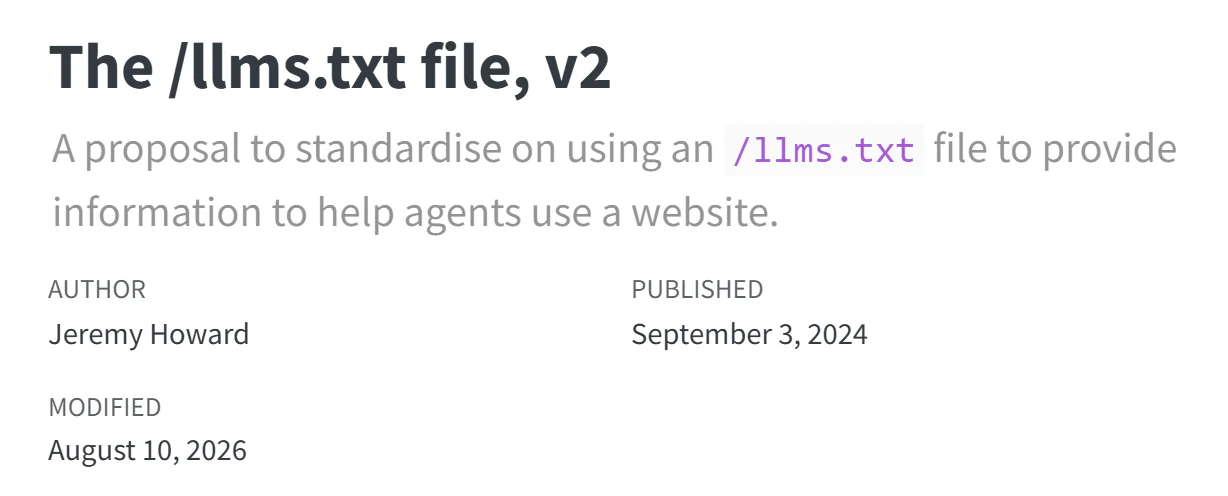
Not a standard
It's a proposal, published by its author for community input and still changing. Not every AI tool reads it, so publishing one doesn't guarantee any particular assistant will use it.
Not a ranking trick
It isn't a shortcut around good pages, a sitemap or structured data. The proposal's own comparison gives each file a different job:
| File | What it does | Who uses it |
|---|---|---|
robots.txt |
Says what automated tools may access | Crawlers such as search bots |
sitemap.xml |
Lists every indexable page | Search engines |
llms.txt |
A short, curated overview with the key links | Assistants, on demand, while helping someone |
On this site, llms.txt sits next to a sitemap, a robots.txt that allows all crawlers and JSON-LD structured data. It doesn't replace any of them.
Not proven by a passing audit
Google's PageSpeed Insights runs Lighthouse, which at the time of writing includes an llms.txt audit in an Agentic Browsing category that Google marks as still under development.
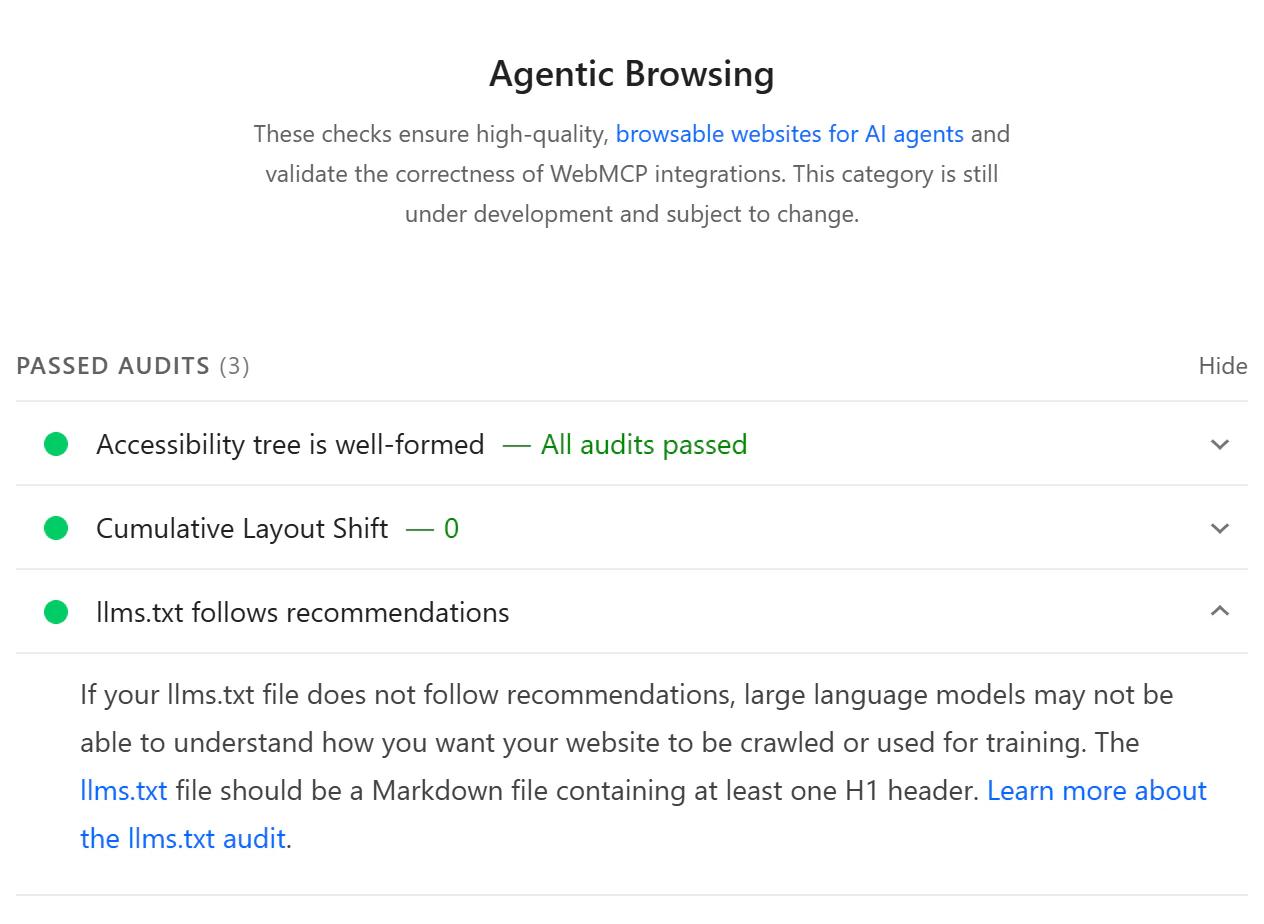
The check is light. The audit's description asks for Markdown with at least one H1, and the Lighthouse 13.5.0 source tests for an H1, at least one link and at least 50 characters. A missing file is marked not applicable, not failed.
A pass tells you the file exists and has the right shape, not that what it says is true. A file full of outdated copy passes just as easily.
How mine is built
The llms.txt on this site isn't edited by hand. A Next.js route handler at app/llms.txt/route.ts generates it. It's marked force-static, so Next.js renders it once at build time and serves it as text/markdown.
Most of it comes from the typed data files the pages read: services, projects, experience, site details and the four steps of how I work. The Field notes section comes from the notes' own Markdown files, published notes only. Trimmed, the route looks like this:
export const dynamic = "force-static";

const abs = (path: string) => new URL(path, site.url).toString();

export function GET() {
  const lines = [
    `# ${site.name}`,
    // [...] summary, key facts, experience, tools, how I work
    "## Services",
    ...services.map(
      (s) =>
        `- [${s.navLabel}](${abs(servicePath(s))}): ` +
        `${s.metaDescription} ${s.summary}`,
    ),
    // [...] selected work, field notes and the Optional section
  ];

  return new Response(lines.join("\n"), {
    headers: { "content-type": "text/markdown; charset=utf-8" },
  });
}
One service, three places
Take the AI agents service. Its metaDescription is the line under its name on the services index, and also the landing page's meta description and the description in its structured data.
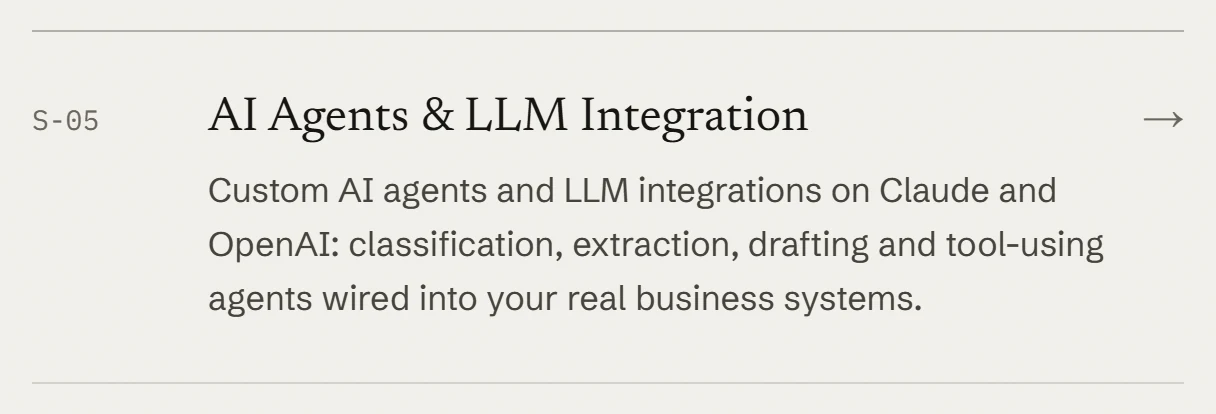
Its summary is the sentence in the author box at the foot of its landing page.

The route joins the two, word for word, into that page's line in llms.txt. abs() turns the path into an absolute URL on the canonical domain, which is set in one place.

So when I change how a service is described, the landing page, its structured data and llms.txt all change in the same build. There's no second copy to remember. A few lines, such as the tools list, are written directly in the route; those need a manual look when something changes.
A working pattern for your site
None of these steps depend on a framework.
- Start from what's already published. Take the H1 and the summary from your homepage, and each link description from that page's meta description. If the file and your pages disagree, a reader can't tell which to trust.
- Keep it to facts. Every line should be something you'd stand behind on your homepage: nothing aspirational, no numbers you can't back up and no lists of search terms. Write for someone who wants to understand the business quickly.
- List the pages that answer "what do you do?" Services, key work and pricing if you publish it go in H2 sections. Secondary pages go under
## Optional. - Use absolute links, and open every one. Full URLs such as
https://example.com/serviceswork wherever the text ends up. Broken links were part of what I fixed in the client's file. - Put it at the root.
/llms.txton your main domain covers the whole site. Version 2 also allows one per section, such as/docs/llms.txt, covering the pages under it. - Decide how it stays current. If your pages are built from a data source, such as data files or a CMS, generate the file from that same source, the way mine is. If they aren't, add llms.txt to the checklist for any change to positioning, services or pricing.
- Test it on an assistant. The proposal suggests giving an assistant only your llms.txt and asking it about your business. If it can't say what you do and for whom, rewrite the summary.
Keeping it current matters most. A generated file keeps up with the site because there's no separate copy to forget. A hand-written one keeps up only if updating it is part of the routine.
On WordPress or Wix, a plugin or the platform may already generate the file: the proposal's integrations list names Wix, plus Yoast SEO and AIOSEO for WordPress. I haven't tested them, so check what they pull from first.
If you want help with this
If you'd like an llms.txt written for your site, or generated from the same data as your pages so it stays current, send me a note through the contact form. For the wider work of connecting AI tools to your real business systems, see AI agent development and LLM integration.