FN-003 — Field note ·
Why my images went blank: Vercel's 402 image-optimization error
A 402 on /_next/image isn't a code bug. It's Vercel's shared Image Optimization quota. How I traced blank images on a Next.js site, and three ways to fix it.
A 402 from /_next/image on Vercel means your team's Image Optimization allowance is used up. At the time of writing, Vercel's limits page gives Hobby teams 5,000 image transformations a month; past that, new image sizes fail while cached ones keep loading. The fix is to turn optimization off, pre-generate the sizes or upgrade the plan.
I ran into it in September 2026, when the project screenshots on my homepage went blank.
The symptom: empty image frames
- Each project card kept its frame and caption, but the screenshot inside was missing.
- The browser console showed errors for the
/_next/image?url=...requests.
Nothing in those symptoms points at billing. From the page alone, it looks like a broken component or a bad image path.
Why /_next/image returns 402 on Vercel
With next/image, the browser never asks for your file directly. The component rewrites it into /_next/image URLs, one per width, and the server resizes and re-encodes the image on request. Here is the logo on the sign-in page of Motherboard, one of my demos, as the browser's Elements panel shows it (trimmed):
<img alt="Example Company" width="140" height="140"
  srcset="/_next/image?url=%2Flogo-white.png&w=256&q=75 1x,
          /_next/image?url=%2Flogo-white.png&w=384&q=75 2x"
  src="/_next/image?url=%2Flogo-white.png&w=384&q=75">
On Vercel, Image Optimization answers those URLs, and it's metered. One transformation is counted each time the optimizer makes a version it hasn't cached yet (a new image, width, quality or format) or one whose cached copy has expired. At the time of writing, Vercel's pricing page shows the allowance next to the Pro rate:
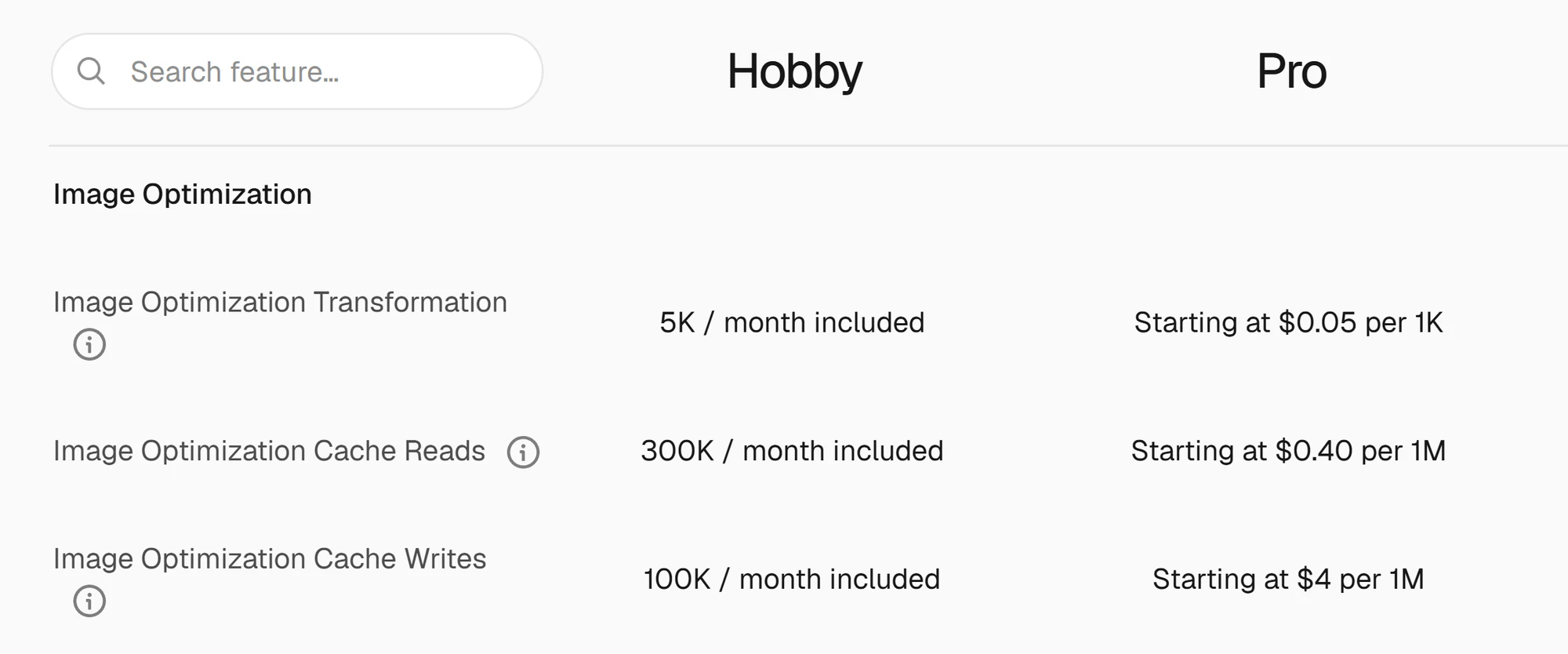
Past the limit, the limits page says new images fail with a 402 and fall back to their alt text, while images already optimized keep working. Two details matter here:
- The allowance belongs to the team, not to one project. Every project on the team draws from the same pool.
- Cached versions keep working until they expire, and your original file is untouched, so a page can look half broken.
Confirming the 402 with two requests
The quickest test is to compare the optimized URL with the original file:
# The URL the page requested (copy it from the Network tab)
curl -i "https://example.com/_next/image?url=%2Fwork%2Fproject.png&w=1080&q=75"

# The same file, served straight from /public
curl -s -o /dev/null -w "%{http_code}\n" "https://example.com/work/project.png"
On my site, the original file returned 200. The optimized URL returned HTTP 402, with the error code OPTIMIZED_IMAGE_REQUEST_PAYMENT_REQUIRED.
That split rules out the usual suspects. The file exists, the path is right and the deployment is serving it. Only the optimizer says no. Read the pair like this:
| Optimized URL | Original file | What it means |
|---|---|---|
| 402 | 200 | The allowance is used up |
| 200 | 200 | The server is fine; check the component, its CSS or the src |
| Fails | Fails | The file isn't deployed where the page expects it |
One allowance for the whole team
When this happened, my Vercel team was on the Hobby plan and hosted more than 20 projects, all sharing one Image Optimization allowance. Once it was used up, new (uncached) next/image requests failed on every project in the team. Motherboard's two logos broke the same way.
With several sites on one team, the site where you notice the problem isn't necessarily the one that used up the pool.
At the time of writing, Vercel's Hobby plan page says you usually wait until 30 days have passed before you can use the feature again. Motherboard's logos came back within a few days, with no new deployment. I don't know exactly when the window resets, so I wouldn't plan around it.
Three ways to fix the 402
| Option | What changes | Trade-off |
|---|---|---|
| Turn optimization off | One setting in next.config |
Every image loads at full size |
| Pre-generate the sizes | A sharp script and a <picture> component |
More files to generate and commit |
| Upgrade the plan | Billing | A monthly cost |
Turn optimization off
The quickest fix is one setting:
// next.config.ts
const nextConfig: NextConfig = {
  images: { unoptimized: true },
};
With it, Next.js serves each image as-is from its src, with no resizing or format change. The optimizer is out of the path, so the 402s stop.
The catch is size. For screenshots, every visitor downloads the full-size original. Mine show the difference:
| Files | Source PNG | 828 px AVIF | 1440 px AVIF |
|---|---|---|---|
| Log Pose screenshot | 1.5 MB | 54 KB | 129 KB |
| All seven screenshots | 3.8 MB | 122 KB | 281 KB |
Small icons barely notice: Motherboard's small icon is a 1.4 KB, 32-pixel PNG, and optimizing it saves less than 1 KB. The same switch exists per image, <Image unoptimized />, which the Next.js docs suggest for images under 1 KB. Icons can skip the optimizer while larger images keep it.
Pre-generate the sizes (what this site does now)
The optimizer's job is to produce a few sizes and modern formats of each image. For a portfolio with a handful of screenshots, that work can happen once, ahead of time.
A small Node script uses sharp to write each screenshot at five widths (480, 640, 828, 1080 and 1440 pixels) in two formats: AVIF at quality 50 and WebP at quality 75. The output goes to public/work:
import sharp from "sharp";

const WIDTHS = [480, 640, 828, 1080, 1440];

// input: the source PNG; slug: its file name without the extension
for (const width of WIDTHS) {
  const base = sharp(input).resize({ width, withoutEnlargement: true });
  await base.clone().avif({ quality: 50 })
    .toFile(`public/work/${slug}-${width}.avif`);
  await base.clone().webp({ quality: 75 })
    .toFile(`public/work/${slug}-${width}.webp`);
}
The original PNGs moved out of /public into a source folder, so they are no longer served.
The component renders a <picture> element and lets the browser choose:
const WIDTHS = [480, 640, 828, 1080, 1440];
const srcSet = (ext: "avif" | "webp") =>
  WIDTHS.map((w) => `${image}-${w}.${ext} ${w}w`).join(", ");

<picture>
  <source type="image/avif" srcSet={srcSet("avif")} sizes={sizes} />
  <source type="image/webp" srcSet={srcSet("webp")} sizes={sizes} />
  <img
    src={`${image}-828.webp`}
    alt={alt}
    width={1440}
    height={900}
    loading="lazy"
    decoding="async"
  />
</picture>
- The browser uses the first
<source>whosetypeit supports: AVIF where it can, WebP otherwise. srcSetandsizeslet it pick the width that fits the screen. On a 1280-pixel laptop screen at 2x, Chrome picksaxis-1440.aviffor the card below.- The
<img>is the fallback. Itswidthandheightreserve space before the file arrives.
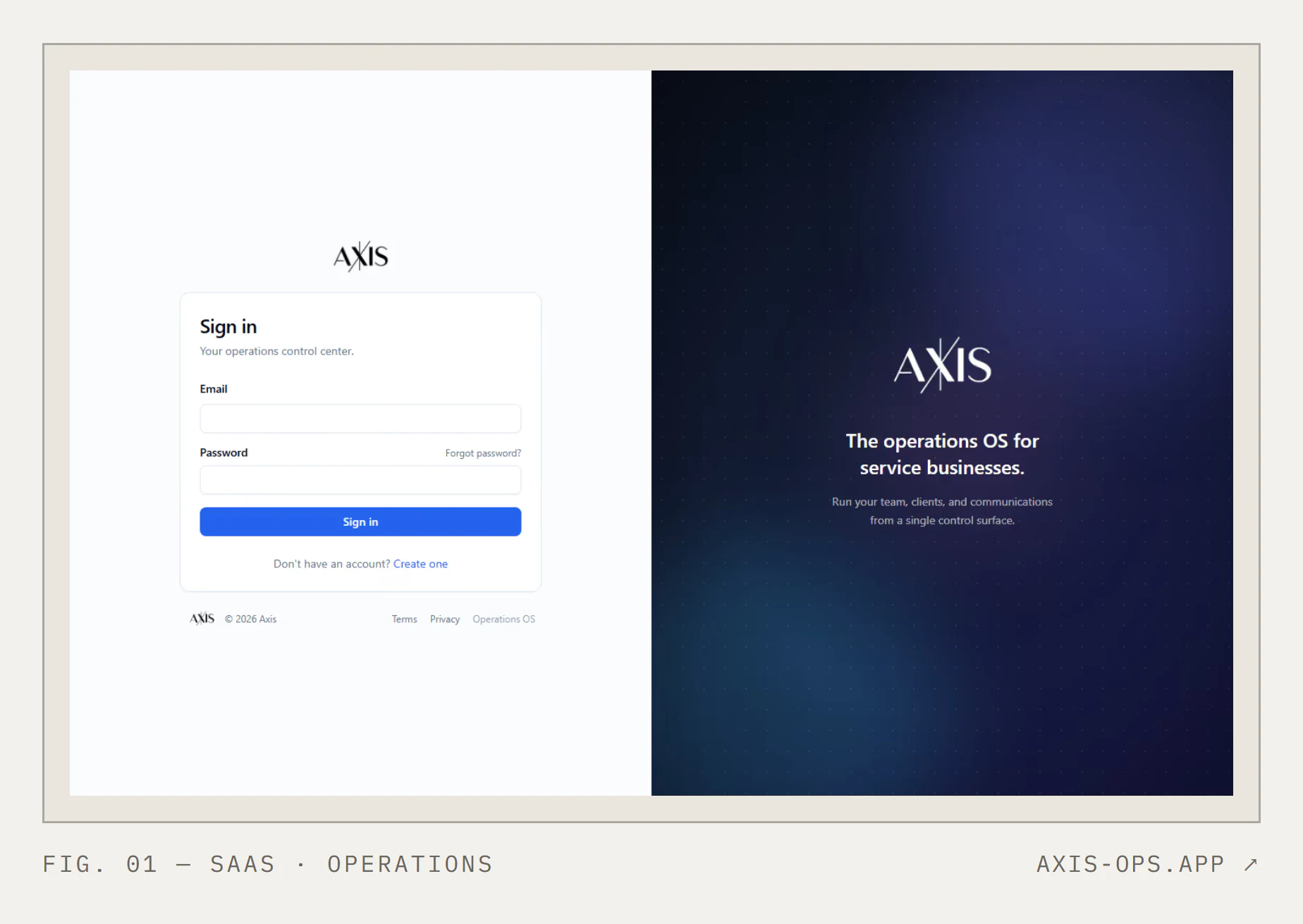
With no runtime optimizer in the path, the allowance no longer matters for these screenshots. The cost is more files in the repo and one extra step, npm run images, whenever a screenshot changes.
Upgrade the plan
If images change often or come from users, pre-generating them stops being practical. Paying for on-demand optimization is simpler, and next/image keeps working as designed. At the time of writing, Vercel's pricing page lists Pro at $20 a month with $20 of included usage credit, and bills transformations from $0.05 per 1,000 (the pricing rows shown earlier).
There's a second reason to check the plan. At the time of writing, Vercel's fair use guidelines restrict Hobby teams to non-commercial personal use, and they count advertising a product or service as commercial. A site that advertises a paid service needs Pro or Enterprise, whatever its image traffic. This one does, so the team is moving to Pro.
What I check now
- The console after every deploy. An empty frame is easy to miss. The console error isn't.
- The team's usage page. Look at the whole team's Image Optimization usage, not one project's. A quota can run out between deploys.
- The status code before the code. A 402 on
/_next/imageis a quota problem. Run the two-request check before touching a component.
If you want help with this
I found the cause by mapping the path from the page to the file before changing any code: next/image, Vercel's optimizer and a team-wide allowance. I trained as an architect, and that's how I approach client systems too. If a Next.js app or internal dashboard on Vercel is misbehaving in production, or you want one built with its limits planned from the start, read about the internal tools and dashboards I build on Next.js and Vercel and get in touch from that page.